
EN

Godz Casino Login

Casino, Live Casino and Sports

Welcome back

Log in to Godz with your email address and password. Your account works for slots, live casino and sports betting — on desktop and on your smartphone.

18+ only. Your account is personal. Keep your password to yourself.

Your Godz login

Select “Log in” and enter the email address linked to your account and your password. You can then use your balance across Casino, Live Casino and Sports. You do not need a second login when moving between these sections.

Use the same email address you entered when registering. If your browser fills in login details automatically, make sure they belong to your Godz account. Your password is case-sensitive.

Forgot password?
Email address
Password

Open your Godz account

Choose your welcome bonus

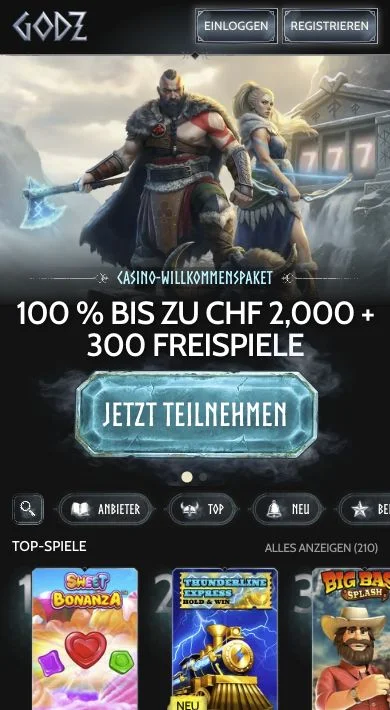
Select “Register” to open your account. You can choose the Casino welcome package, the Sports welcome offer or registration without a welcome bonus. If you have a promotional code, select “I have a promotional code”. No code is needed for our Casino welcome package.
Email address and password

Enter your email address and create a password. You must be at least 18 years old and accept our Terms and Conditions and Privacy Policy. You can also choose whether you want to receive promotional messages.

Your personal details

We need your real name, date of birth and address for your account. Your details must be accurate and kept up to date. Only one account is permitted per person and household; the same restriction also applies to the same telephone number, email address and IP address.

Forgot your password?

Using your email address

Reset your password

Select “Forgot password?” to open password recovery. Enter the email address linked to your Godz account and submit the request with “Reset password”.

No access to your email address

If you can no longer access your inbox, our customer support can help. We may ask for proof of identity as part of the check. You do not need to create a new account.

Back to login

If you cannot log in

The email address or password is incorrect

A mistyped character, an extra space or an old saved password can prevent you from logging in. If you have forgotten your password, use password recovery with your registered email address.

An email has not arrived

An email from us may end up in your spam folder. You need access to the inbox linked to your account. If the message is still missing, our customer support can help. This also applies if you are waiting for an email address confirmation.

Your account is restricted

If your account is restricted or under review, our customer support can help. A second account is not permitted. You must not try to bypass a time-out or self-exclusion by registering again.

Contact customer support
Godz in your mobile browser

Your login on Android and iPhone

Log in on your smartphone through the browser using the same email address and password as on desktop. Your account and balance stay the same. You do not need an APK for mobile login.

A home-screen shortcut opens Godz directly in your browser. If you share a device with other people, log out after playing and do not save your password on that device.

Godz on Android and iPhone

Protect your account

Keep your password to yourself

Your Godz account is personal. Do not share your password or use another player’s login details. If someone gains unauthorised access to your account or email inbox, contact our customer support immediately.

Confirm your identity

We may ask for an ID document, proof of address and evidence that the payment method belongs to you. This allows us to verify that the account and payment method are yours. Registration does not replace this verification.

We can help with your account

Our customer support is available via live chat in the casino and by email. We can help if you cannot log in, an email is missing or you can no longer access your account.

Where possible, contact us using the email address linked to your Godz account. Never include your password in a message to customer support.

Contact

Questions about the Godz Casino login

How do I log in to Godz?

Select “Log in” and enter your email address and password.

Do I need separate accounts for casino and sports betting?

No. Your Godz account works for slots, live casino and sports betting. You use the same balance in all three sections.

Do I have to choose a bonus when I register?

No. You can register without a welcome bonus. The Casino welcome package and the Sports welcome offer are separate promotions with their own terms.

What should I do if I forget my password?

Select “Forgot password?” and enter the email address linked to your account. If you can no longer access that inbox, our customer support can help with the account check.

How do I confirm my email address?

If we ask you to confirm your email address, follow the instructions in our email. If the message is not in your spam folder either, our customer support can help. As part of identity verification, we may also ask for an ID document and other supporting documents.

Can I log in on iPhone without an app?

Yes. Log in through the browser with your email address and password. You do not need a separate app for this access.

Can I create a new account if I have login problems?

No. Only one account is permitted per person and household. If you have forgotten your password, an email is missing or your account is restricted, our customer support can help with your existing account.

Back to the casino

With your Godz account, you can play slots, live tables and game shows. The same login also works for sports betting.