Play in the browser
Open Godz in the browser on your smartphone. You can use Chrome on Android and Safari on iPhone. Your account is the same as on desktop. You need an internet connection for live games and game rounds.

Android and iPhone
Your casino on your smartphone
On Android and iPhone, you can play with us directly in your browser. Log in with your Godz account and use your balance for slots, live casino and sports betting. There is no need to download an APK or an app from the App Store.
You play in the browser with your Godz account. Internet connection required. 18+.
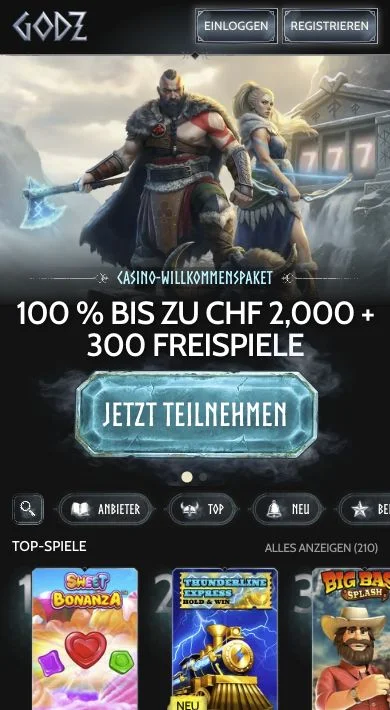
Open Godz in the browser on your smartphone. You can use Chrome on Android and Safari on iPhone. Your account is the same as on desktop. You need an internet connection for live games and game rounds.
A shortcut lets you open Godz directly from your home screen. You still play in the browser with your existing account; no APK is required.
The iPhone app “Godz Casino” by Cellarcooler store LLC is intended for entertainment. It does not offer deposits or real-money betting. To play with your Godz balance, log in to Godz in your browser.
Depending on your Chrome version, the menu item may also be called “Add to Home screen”. A shortcut with the Chrome icon opens Godz in Chrome.
If “Open as Web App” is available, you can enable it. Godz will then open in its own window. If “Add to Home Screen” is missing, you can add the option under “Edit Actions”.

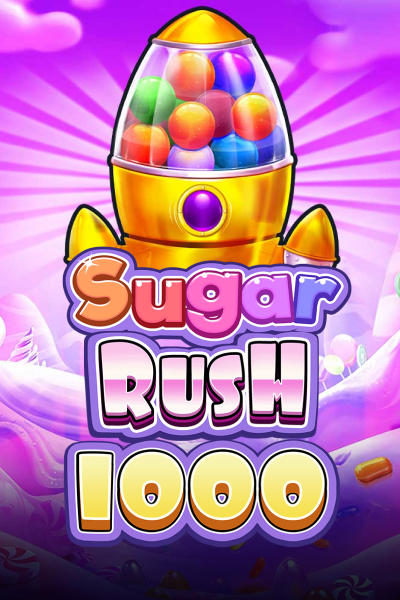
You can play titles including Sweet Bonanza 2500, Big Bass Splash and Sugar Rush 1000. Free spins, multipliers and bonus rounds are also available on your smartphone. You use your Godz balance.


At our live tables, you play with real dealers. Roulette, blackjack, baccarat and game shows such as Crazy Time are streamed to your screen.

Your login also works for sports betting. Switch between Casino, Live Casino and Sports without creating another account. You use the same balance in all three sections.
On mobile, log in with the same email address and password as on desktop. If you select “Forgot password?”, you can request password recovery using the email address linked to your account.
You can deposit through the cashier on mobile and request withdrawals there as well. Your account limits also apply on your smartphone. For verification, we may request an ID document, proof of address and evidence that the payment method belongs to you.
Our Casino welcome package includes up to CHF 2’000 and 300 free spins across your first three deposits. Activate the bonus under “My Bonuses” before playing with the relevant deposit. The bonus terms also apply on your smartphone.
Live games and new game rounds require an internet connection. With an unstable connection, a stream may stutter or a game may load more slowly. An up-to-date browser can also help with display issues.
You can open Godz directly in your browser. To create the shortcut, use a normal tab in Chrome or Safari. The add-to-home-screen option may be unavailable in private browsing mode.
If you have forgotten your password, use “Forgot password?”. If you can no longer access your email inbox or your account is restricted, our customer support can help via live chat or email. Never share your password.
No. On Android, you play with us directly in the browser. A shortcut lets you open Godz from your home screen without installing an APK.
No. Open Godz in your browser. You do not need an app from Google Play. Log in to your Godz account with your email address and password.
Yes. Open Godz in Safari and log in with your Godz account. You can also add the website to your home screen as a shortcut or web app.
No. It opens the website. Even if Safari launches it in its own window, you are still playing on the web. No App Store download is required.
The iPhone app “Godz Casino” by Cellarcooler store LLC does not offer deposits or real-money betting. In our casino, you play with your Godz account directly in the browser.
No. You use the same email address, password and balance as on desktop. One account covers Casino, Live Casino and sports betting.
No. You need an internet connection for your account, game rounds and live streams. This also applies when you open Godz using an icon on your home screen.
You open Godz in your browser without downloading casino updates. Your browser receives its updates through your device.
Slots, live tables and sports betting with your Godz account — directly in your browser.